Calculate nitrox and trimix — free and fully usable offline.
Gas Blender Toolkit is an installable web app for reliable gas calculations. Open or install it once, then keep using it without internet at the fill station.
No sign-up No ads No forced cloud
More than a basic blending calculator
Built by a diver for divers, with transparent models and tools for several filling methods.
Ideal- and real-gas models
Choose the ideal gas law or a Van der Waals correction for high pressures and helium-rich mixes.
Several blending methods
Partial-pressure blending with a freely chosen fill order, the delta-gas method, and decanting from a storage bank.
Tools for OC, CCR and PSCR
MOD, END and gas density for scuba gases, CCR diluent with a PPO2 setpoint, and a PSCR oxygen model.
Cost calculation built in
Save prices for O2, helium and topoff gas and calculate the cost of every fill automatically.
Fully usable offline
Install it on your home screen or desktop and use it without internet after the first load. Settings stay on your device.
Five languages & flexible units
English, German, Spanish, Russian and Ukrainian. Metric or imperial, with your own standard gases and cylinder volumes.
One tool for every breathing-gas situation
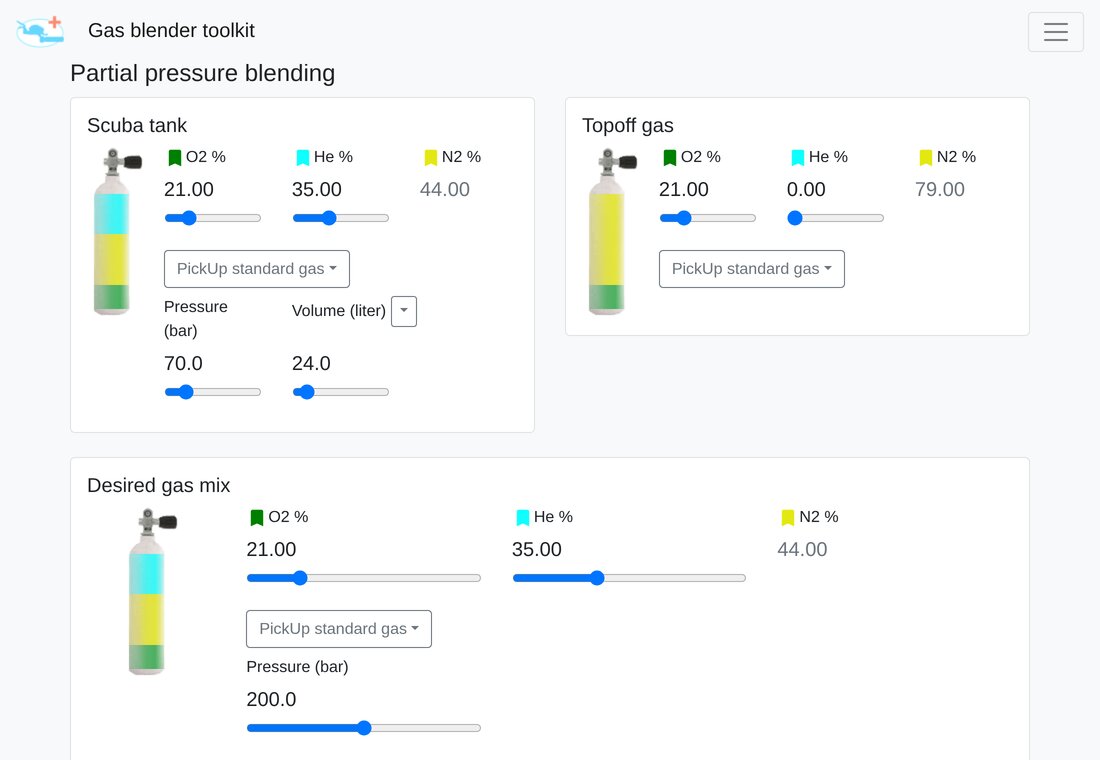
Blending that does the calculations
Enter the current fill and desired mix — the toolkit calculates oxygen, helium and topoff gas in your chosen order.
- Freely chosen fill order
- Automatic volume matching between cylinders
- Switch between ideal- and real-gas models
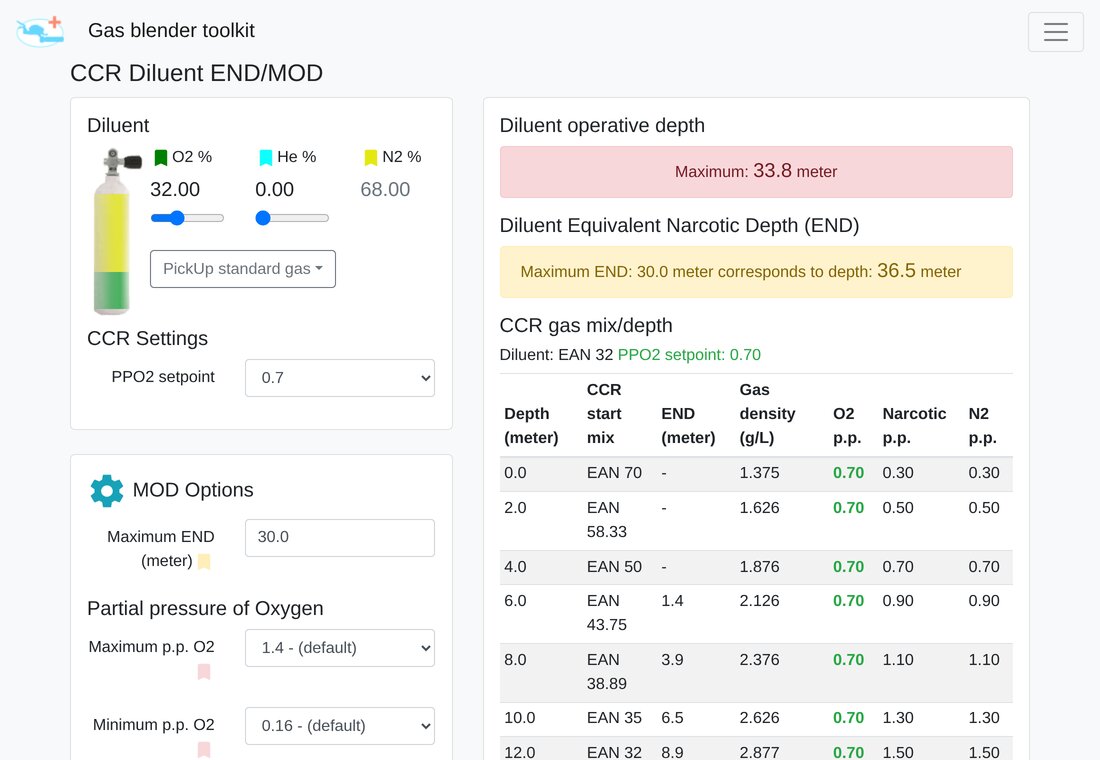
Rebreather diving covered
The CCR diluent view shows the mix, PPO2, gas density and narcotic depth across the full depth range.
- Configurable narcotic potency factors
- Warnings for exceeded gas-density or END limits
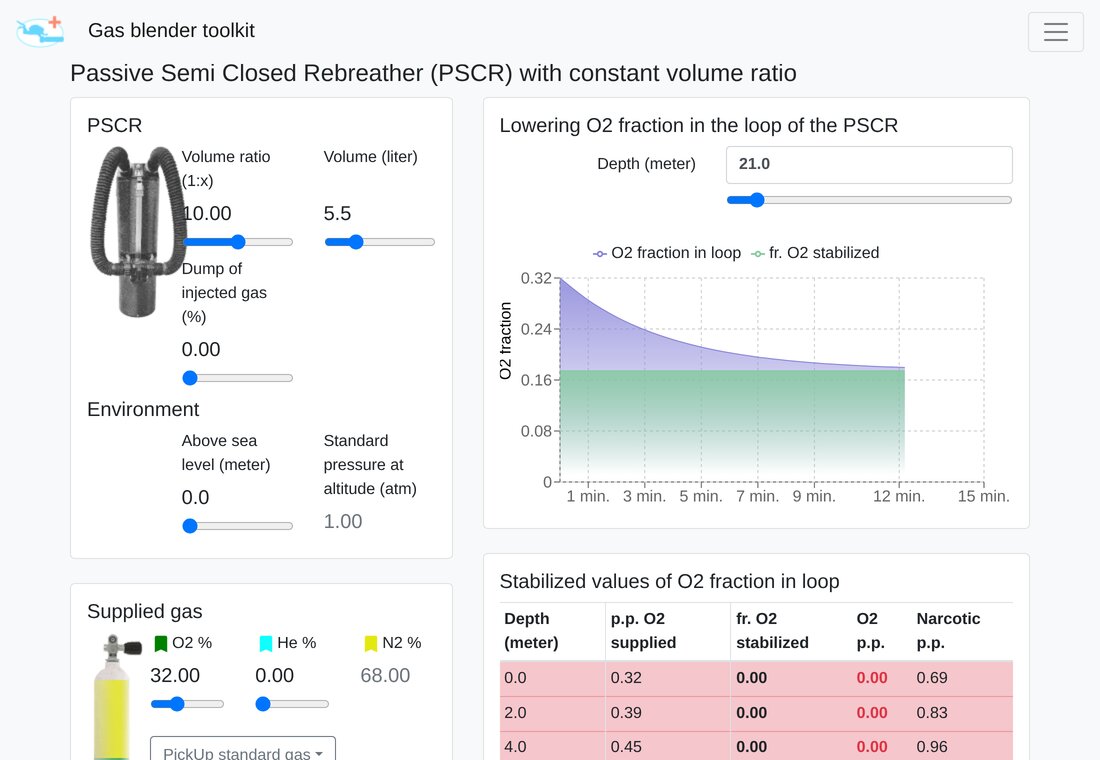
PSCR: oxygen fraction over time
For passive semi-closed rebreathers, the toolkit simulates how FiO2 settles over time and depth.
Temperature compensation during gas blending
Learn how to turn a planned fill step into the correct gauge target when the cylinder warms during filling — including a reproducible ideal-gas example and the real-gas values shown by the app.
- Use the isochore dialog step by step
- Understand reference and measured temperature
- Compare ideal- and real-gas results correctly
What limits this breathing gas first?
Compare oxygen partial pressure, equivalent narcotic depth and breathing-gas density instead of treating MOD as one universal depth.
- Identify the first planning constraint
- Understand configurable END and density assumptions
- Compare open-circuit gas and the actual CCR loop gas
 Gas Blender Toolkit

Scan with your phone camera to open
Three steps to your fill table
Enter the current fill
Enter O2 and helium fractions, pressure and cylinder volume.
Set the desired mix
Enter target O2/He at the target pressure or choose a saved standard gas.
Check the fill table
Review the calculated order and amounts, then analyze the finished gas.
Free PWA. Optional editions on Google Play and the App Store.
The web app includes the complete calculations, has no ads and works offline. The optional store editions provide convenient installation through each store and help support continued development.
- Open the PWA once in your browser
- Choose “Add to Home Screen” or “Install app”
- Keep using it without internet
Questions, feedback or real-world experience?
Join other divers in the existing ScubaBoard thread or start your next calculation now.